
How to Apply for an Educational Credential Assessment for IRCC

If you are applying for an Educational Credential Assessment (ECA) through WES for Immigration, Refugees and Citizenship Canada (IRCC), the process becomes easier once you know what to expect.
That is why we wrote this blog post, which will walk you through each step so you can confidently complete your application.
For a visual guide, please watch this video tutorial.
Here are step-by-step instructions for applying for an ECA for IRCC.
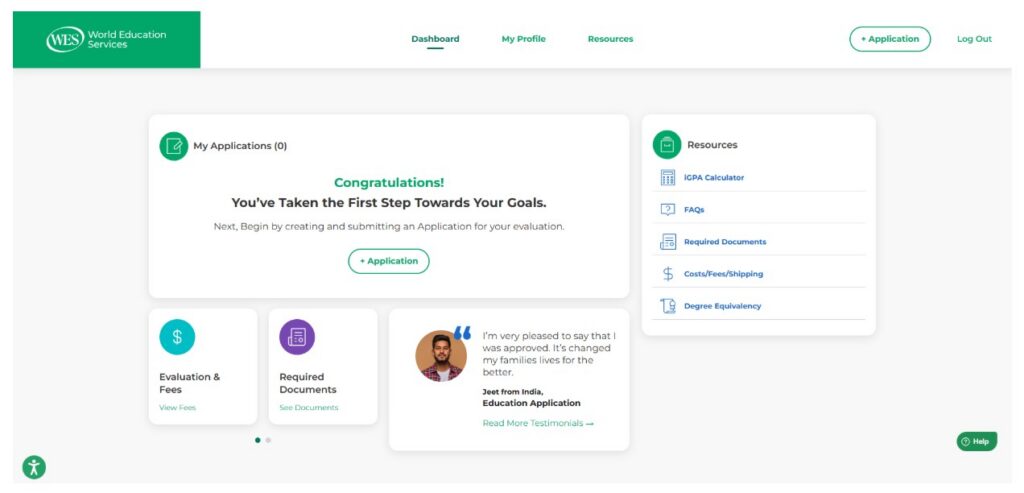
1. Create an account: First, create an account with WES. If you already have a WES account, log in to it. Once logged in, you will see the dashboard, which looks like this:
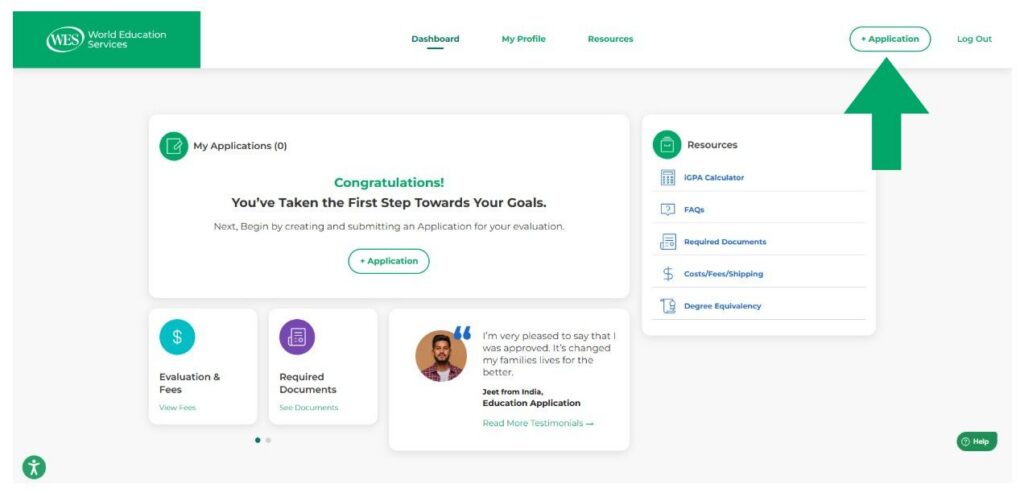
2. Start a new application: At the top of your screen, click the Application.
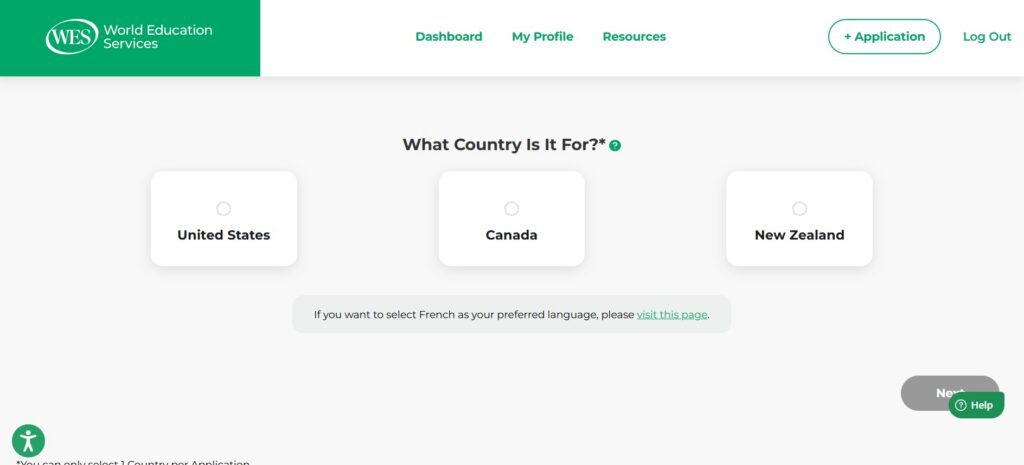
3. Country: You will be asked to choose the country you are applying for: the United States, Canada, or New Zealand. Click on Canada to continue with an ECA report for IRCC.
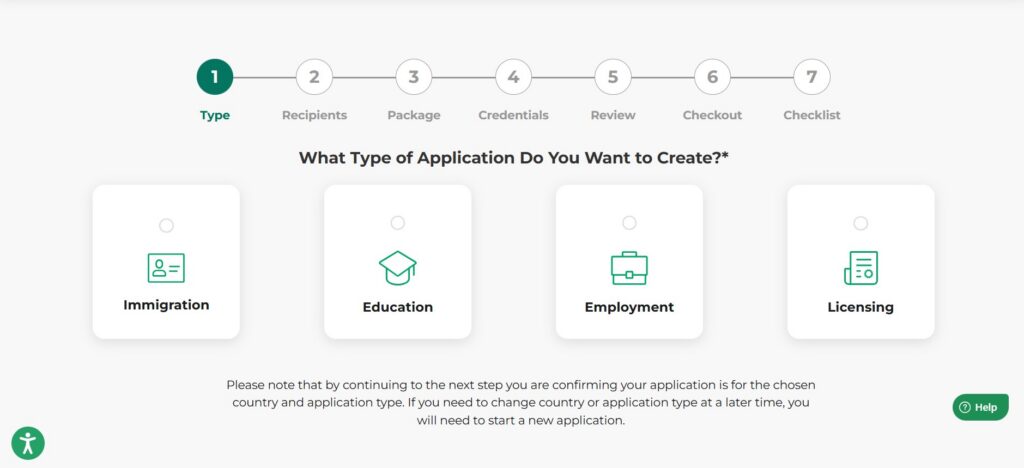
4. Application Type: On the next screen, when asked for the application type, select Immigration.
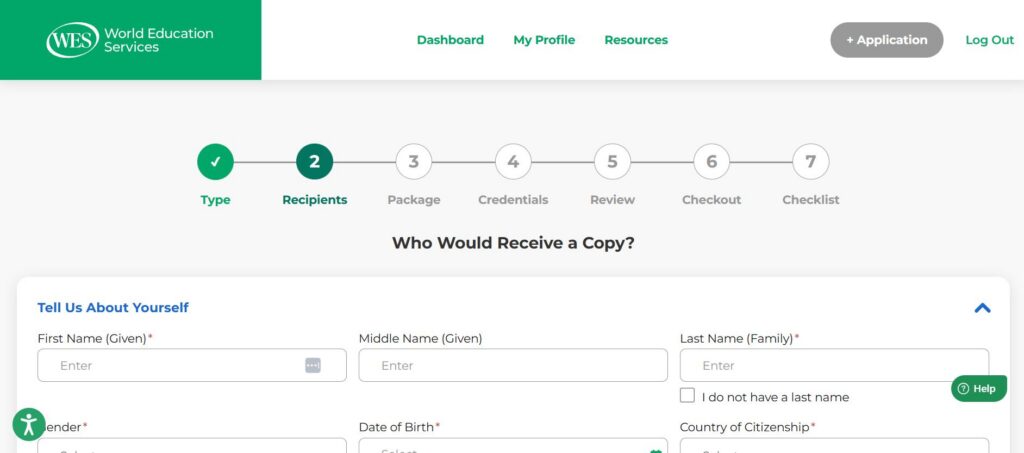
5. Recipients: Fill out all required sections, including your first and last name and the delivery details of those who will receive your ECA (including yourself). Take your time and fill out the sections carefully. Then review the IRCC information.
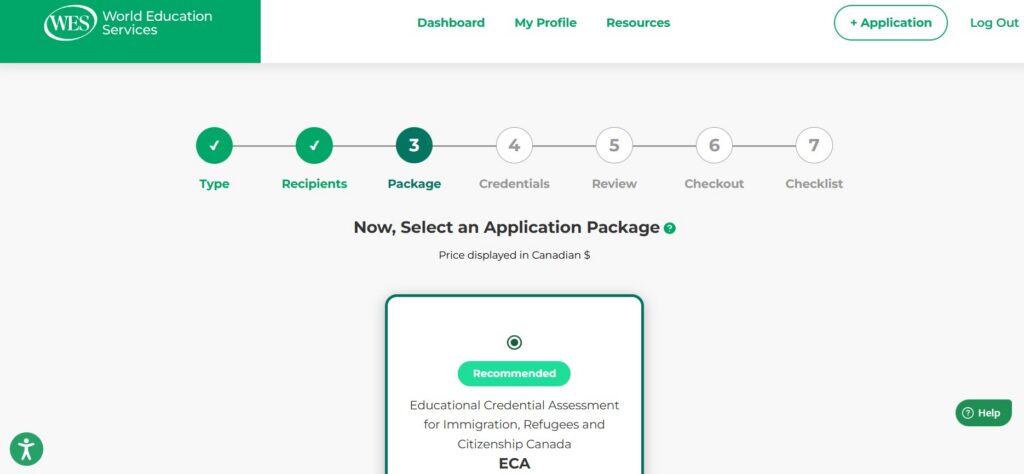
6. Package: Select ECA to continue with your application. This is the package IRCC requires for immigration purposes.
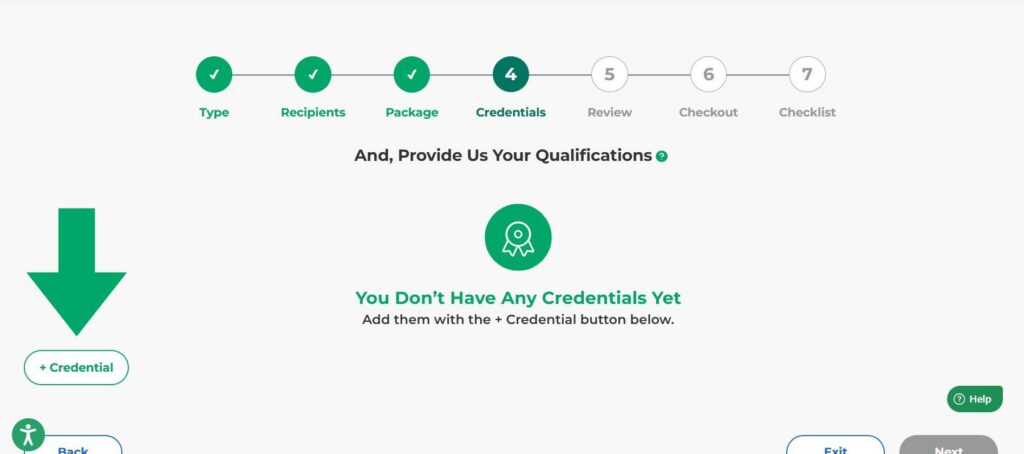
7. Credentials: Enter the academic qualifications you want to have evaluated in the ECA report. Be sure to list them exactly as they appear on your documents.
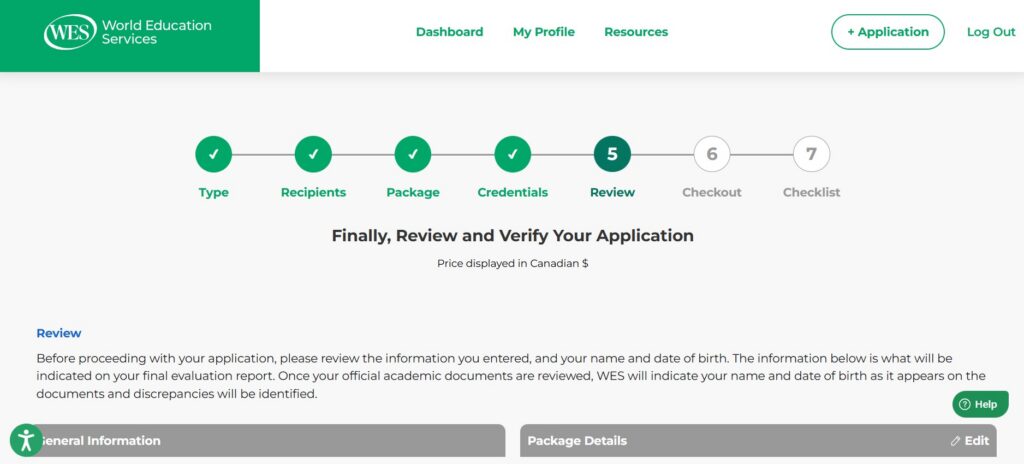
8. Review: Confirm that everything is correct before proceeding with your application. Next, check all the required acknowledgment boxes.
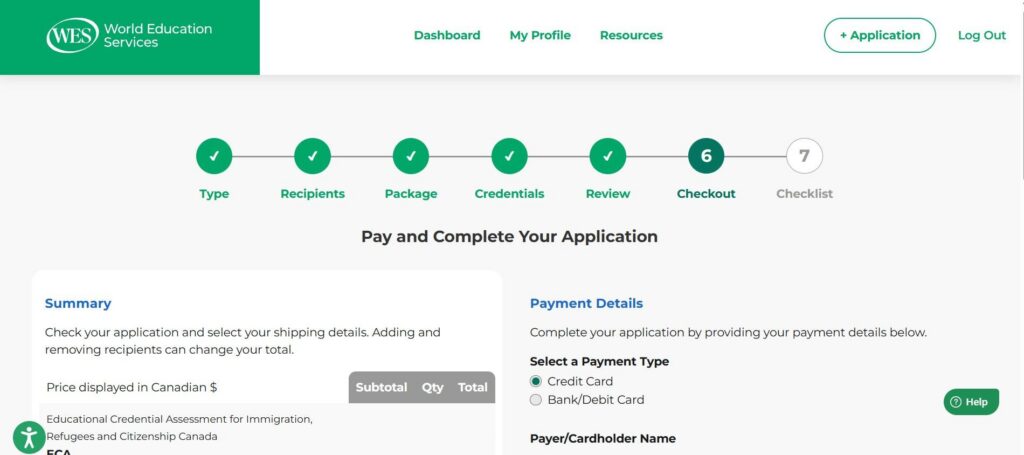
9. Make payment and submit application: Enter your payment information to complete your order. Allow a moment for the payment to be processed fully.
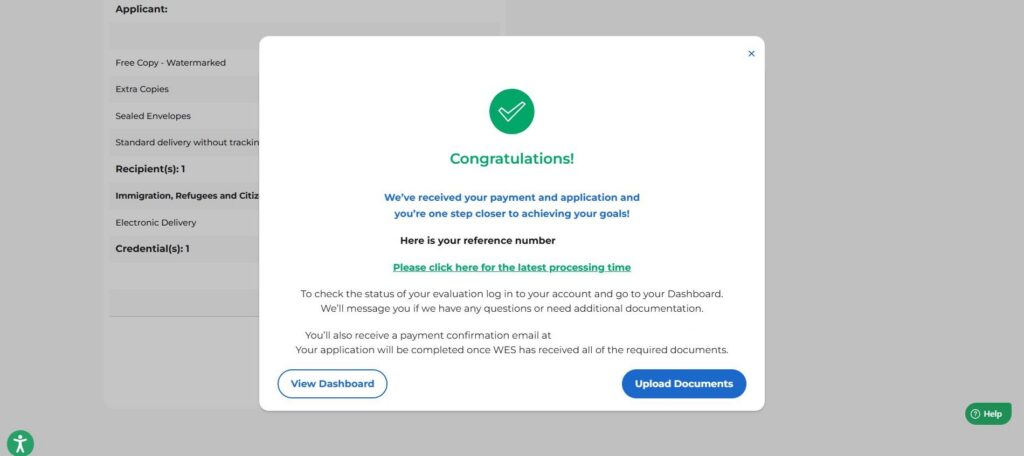
10. Save your WES reference number: Once you submit your payment, a confirmation pop‑up message will appear. You will receive your WES reference number and see the option of viewing the dashboard or uploading your documents. After you submit your application, the next step will be to provide your required documents.
11. Monitor your progress: You can sign in to My Account at any time to view updates and to check on your application. Contact our Customer Support team if you have any questions about your ECA. Once your evaluation is complete, we will issue the report electronically to IRCC and also upload a copy to your account.

Why Choose WES for Your ECA?
WES is one of five IRCC-designated ECA providers in Canada. Your ECA can begin once all documents have been submitted, verified, and approved, and the required fees have been paid.
WES serves immigration candidates in both of Canada’s official languages. We have a complete French-language online application and a team of bilingual customer support representatives ready to help Francophone ECA applicants. Get started with a WES ECA today!

Want to stay in the loop?
Sign up for our Newsletter. We’ll share updates, what we’re learning, and opportunities through our email list.